

Partner work starts here

Random Pair GeneratorA partner for the next activity.

Create pairs from one roster. Choose what happens with an odd number of people, then copy or print a clear assignment for the whole group.

One round at a time · No account · Browser-only processing

Six participant tokens arranged into three separate pairs on small oval bases

Who is taking part?

Try seven sample participants to see the odd-number options, or paste your own roster.

Your participants

One participant per line. Maximum 5,000 entries, 120 characters each. Blank entries are ignored and outer spaces trimmed. Matching names stay separate.

One independent round. Regenerating can repeat a partner or a bye; no pairing history is kept.

7
Participants
2
Pairs
1
Trios

Three randomly selected participants form one trio. All others form pairs.

Ready to make two pairs and one trio from the seven-person sample.

Your partner assignments

Generate pairs to see the assignment here.

Your roster and pairs stay in this tab. No uploads or automatic saving. Reloading starts a new session.

Every participant has a visible place

Two people together, with an explicit plan for the extra person.

Pairs for practice, conversation, and play

Use the random pair generator when an activity needs partners from the same pool of people. Every entry is included once in the assignment. With an odd roster, choose one trio so everyone joins a group, or choose one named bye so all active groups remain pairs. The result labels the exception clearly, making it easier to announce the arrangement without overlooking someone. Matching names keep distinct entry numbers throughout the process.

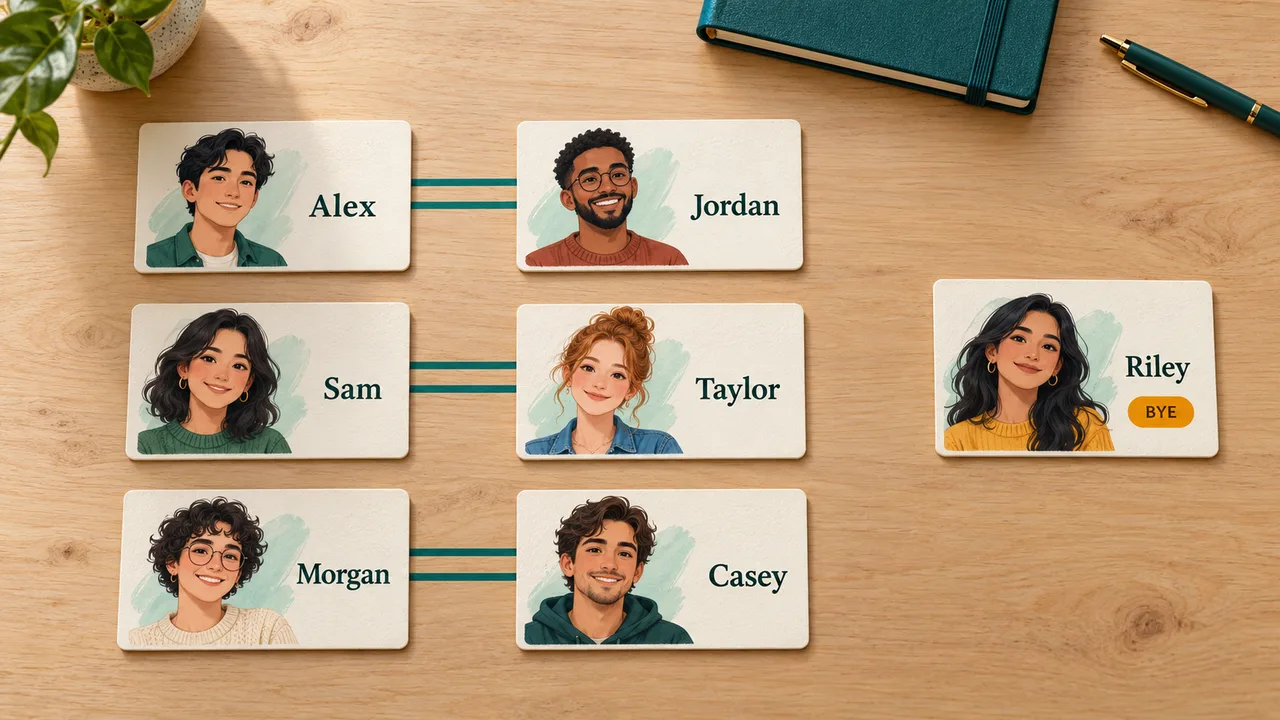
Overhead meeting table with six illustrated name cards connected into three pairs and one separate Riley card marked BYE.

Keep everyone involved with one trio

For seven people, the trio option produces two pairs and one group of three. All seven participants can join the same practice round, with the larger group clearly identified in the result. Give the trio an activity that works for three voices, then copy or print the arrangement. A later draw is independent, so it may place some of the same people together again.

Seven adults practice conversations in three separate seating clusters: two pairs and one trio.

How to pair students or participants randomly

Set the roster and the odd-number rule before generating.

  1. 01

    Check who is present

    Paste one participant per line and remove anyone who is not taking part in this activity. Blank entries are ignored and spaces at either end of a name are trimmed. Matching labels stay separate, so two people named Alex are both included. Add initials or another short identifier if they need to recognize their own assignment. The entry number in each result refers to the parsed roster order, making same-name entries distinguishable.

    • Use up to 5,000 participants, with at most 120 characters per name.
    • The whole input can contain up to 200,000 characters.
  2. 02

    Choose a trio or a bye

    The preview counts show how many pairs and exceptions your current roster will produce. Make one trio is the default: with an odd total of at least three, the final three shuffled participants form a group. Choose One person sits out if the exercise requires exactly two people in each active group. With an even total, both settings produce ordinary pairs and no exception.

    For a single participant, add someone else or select a bye. One person cannot form a pair or trio.

  3. 03

    Generate and share the assignment

    Press Generate pairs and review the result before starting the activity. Copy pairs places the complete assignment on your clipboard, including entry numbers and any trio or bye. Print pairs opens your browser’s print flow with a clean result sheet. If your browser offers Save as PDF, you can use that destination. The screen shows twenty-five assignments per page for large rosters; copying and printing include all of them.

    Generate the sample pairs

Simple choices with visible consequences

You decide the participation rule; the draw decides the membership.

One trio keeps everyone participating

When the total is odd, three randomly positioned entries share a group and the rest form pairs. A trio may need a slightly different activity structure, such as taking turns reading, listening, and observing. The tool creates the group membership only; it does not assign those roles or enforce speaking times.

A named bye preserves two-person groups

A bye means one participant sits out this assignment. Their name appears in a separate labeled card and remains in copied and printed results. The person is selected after the roster has been shuffled, so being last in the input does not reserve the bye. A later draw can give the same person another bye.

A complete sheet for the room

The print view contains the participant count, the selected odd-number rule, every pair, and any exception. It leaves out the input form and page guide. Entry numbers help distinguish matching names on paper. Printing the current result does not reshuffle it, and moving between result pages does not change the assignment either.

Check the counts before the activity

These examples show the required structure, not a promised random outcome.

  1. 01

    Seven participants and the default trio

    The sample roster contains Alex, Jordan, Sam, Taylor, Morgan, Casey, and Riley. With the trio option, seven people become two pairs and one trio. One possible result is Alex with Casey, Jordan with Riley, and a trio containing Sam, Taylor, and Morgan. Your generated names may be arranged differently, but the sizes remain two, two, and three.

    If an eighth participant arrives, add their name and generate again. The old assignment clears when the roster changes. Eight participants produce four pairs, and the odd-number setting has no effect on that even-sized roster.

  2. 02

    The same seven participants with a bye

    Change the rule to One person sits out. The old result clears because it was generated under a different rule. Now the preview shows three pairs and one bye. After generation, read the separate bye card along with the pairs. That participant has not been lost or quietly removed; their status is part of the complete result.

    Decide what sitting out means for your event before running the draw. It could mean a break, observing an exercise, or waiting for the next activity. The generator does not automatically rotate byes, track who has waited longest, or carry an attendance record between draws.

Use one round well

Random membership does not replace the rules of your activity.

  1. 01

    Peer feedback and language practice

    For a short review exercise, enter only the people who are ready to exchange work. Tell participants whether a trio will exchange feedback together or take turns. If you use a bye, explain the waiting activity in advance. Pair numbers are convenient labels for calling out assignments; they do not rank ability, priority, or performance. Review the roster for accidental duplicate entries before generating.

  2. 02

    What a random partner generator can promise

    This implementation shuffles entry identities with Fisher–Yates and uses the browser’s cryptographic random source with rejection sampling for unbiased positions. For a fixed roster and selected rule, the algorithm gives each valid arrangement the same chance. It does not consider friendships, skill, experience, accessibility requirements, or past partnerships. Any conditions your activity needs must be handled separately before using the assignment.

    Repeated names represent separate entries. Entering the same person twice therefore gives that person two places, not extra information about a single participant. Correct those accidental duplicates in the input rather than treating a repeated label as a software error.

  3. 03

    Choose a group tool when pairs are too small

    Use the Random Group Generator when you need a chosen number of groups or a maximum group size. This pairing tool is specifically for two-person assignments with one optional odd-number exception. It does not match two separate lists, create a tournament bracket, or schedule a sequence of unique partners. Regenerate pairs starts a fresh independent draw and replaces the current result, so save any assignment you want to keep first.

    Open Random Group Generator

Random pairing questions

Odd rosters, repeated partners, and keeping a usable record.

What happens with an odd number of people?

Choose between one trio and one bye before generating. With eleven participants, the trio option creates four pairs and one group of three. The bye option creates five pairs and one named person sitting out. Both options account for all eleven entries. The preview updates immediately, while a new assignment is generated only when you press the button.

Who gets the bye or joins the trio?

The complete roster is shuffled first. The remaining one or three entries then form the selected exception. The input order does not permanently assign this role to anyone. Over several independent draws, a participant can receive the exception more than once; this page does not balance exception counts across a session.

Can the same two people be paired again?

Yes. Each generation is a separate round without remembered partnerships. A repeated pair does not mean the tool has failed or exhausted all other options. If you require everyone to meet different partners across several rounds, you need a schedule that tracks prior pairings. This tool does not offer that guarantee, and simply clicking again is not a substitute for such a schedule.

What if I enter only one or two names?

Two names form one pair. A single name cannot form a pair or trio, so the default trio setting asks you to add participants or select a bye. In bye mode that person appears as sitting out, with zero active pairs. An empty roster produces an error rather than an invented assignment.

Can I copy and print all the pairs?

Yes. Both actions use the current complete result, including any trio or bye. Pagination only limits what is displayed on screen. The print sheet is generated when printing begins, so a large roster does not need thousands of hidden print rows during normal use. Your browser determines which printers and PDF destinations are available. If printing is unavailable, copy the result into a document.

Are names stored, uploaded, or carried into another round?

The roster and current assignment remain in this tab’s memory. The tool does not upload them or write them into local or session storage. Regenerating uses the same current roster but keeps no history of earlier pairs. Reloading restores the sample list. Copies and printouts are created only when you request them, and remain under your control afterward.

Random Pair Generator

Start the next partner activity

Check attendance, choose how to handle an odd roster, and generate a complete assignment.

Copy or print the result before changing the list or starting another draw.

  • Free to use
  • No signup
  • Runs in your browser

A simple path to your next activity

  1. Bring everyone in

    Check the names of this round’s participants.

  2. Plan for odd numbers

    Choose one trio or one person with a bye.

  3. Share the pairings

    Generate partners, then copy or print.

One independent round. No saved pairing history or repeat-avoidance promise.