

Keep the conditions that matter

Group Generator with ConstraintsSet hard rules. Get a valid assignment.

Keep selected people together or apart, fix members to numbered groups, and set a strict size limit before assigning the whole roster.

Together and apart · Fixed groups · Clear conflict feedback

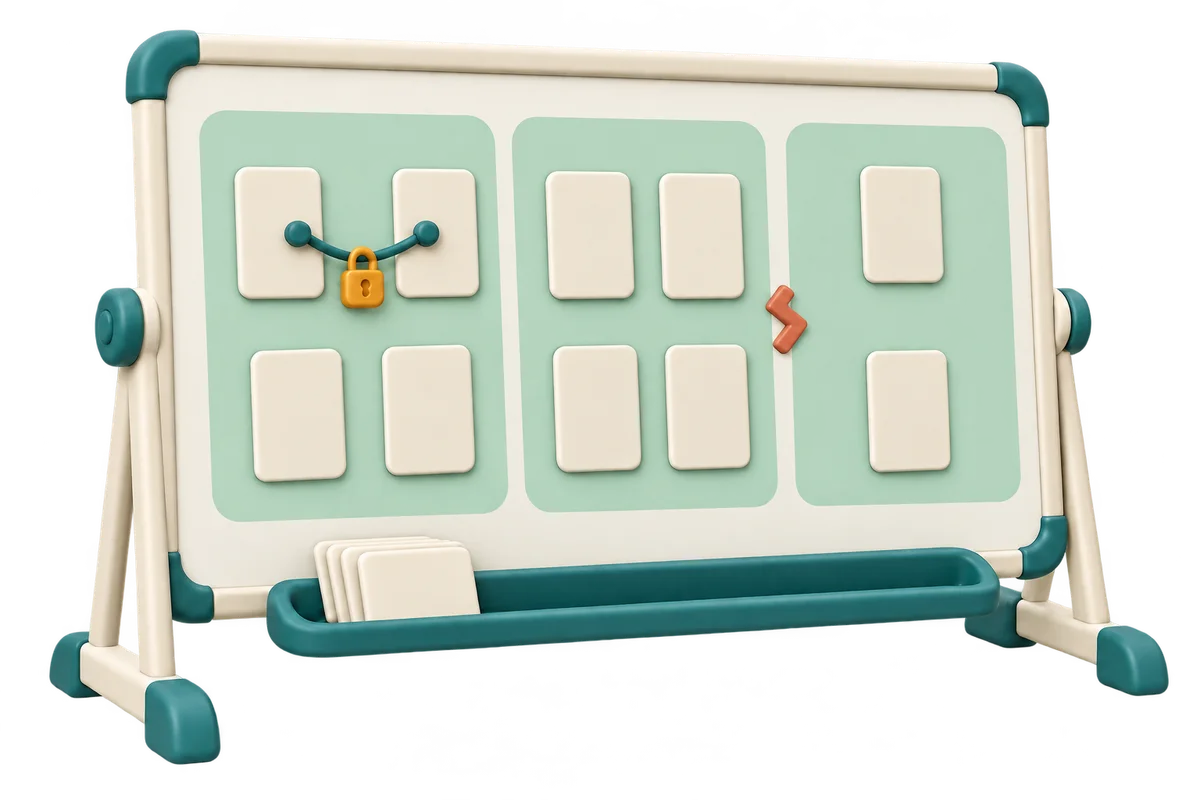
An ivory whiteboard has three mint grouping areas, linked member cards, an amber lock and a separation marker between groups

Who needs to work together, and who must be apart?

The sample keeps entries 1 and 2 together, separates 1 and 3, and fixes entry 1 to Group 1. Check IDs before adding rules.

Roster and hard conditions

One person per line. 1–60 people, 120 characters per name, 12,000 input characters. Matching names keep separate IDs. Roster edits clear all relationship and fixed-group rules.

UTF-8 TXT up to 48,000 bytes. Import replaces the roster, clears identity rules and discards the old result.

Participant entry IDs (8)
  1. Entry 1: Alex
  2. Entry 2: Blair
  3. Entry 3: Casey
  4. Entry 4: Devon
  5. Entry 5: Emery
  6. Entry 6: Frankie
  7. Entry 7: Gray
  8. Entry 8: Harper

Two entry IDs per line, such as 1,2. Connections are transitive: add 2,3 to keep all three together.

Two entry IDs per line, such as 1,3. They must belong to different groups, including through together blocks.

One entry ID,group number per line. Example: 1,1 fixes entry 1 and its together block to Group 1. A lock does not close the group.

8
Participants
—
Assigned groups
—
Largest group

1–12 nonempty groups, no more groups than people. Maximum size 1–60. Every group uses the same upper limit; equal sizes are not guaranteed.

All successful assignments satisfy every rule. Use numeric entry IDs and group numbers starting at 1. English or Chinese commas are accepted. No skill or history balancing.

Eight-person sample: 3 groups, maximum 3; entries 1 and 2 together, 1 and 3 apart, entry 1 fixed to Group 1.

Groups satisfying all conditions

Generate to see a complete assignment satisfying every hard rule.

Names, rules and results stay in this page and its local worker. Nothing is uploaded or saved. Export before refreshing or leaving.

Make the rules part of the assignment

A hard condition must survive the whole generation process.

Keep a connected set of people together

A group generator with constraints handles relationships that a simple shuffle can break. A must-together pair becomes one indivisible block. If Alex must join Blair and Blair must join Casey, all three belong to that block even when Alex and Casey were never entered as a direct pair. A lock on any member fixes the entire block to that numbered group. This makes shared project partners or a small support arrangement explicit before you ask the browser to distribute everyone else.

A teacher checks linked cards and a fixed-group lock on a whiteboard while students work at classroom benches

Accept only groups that satisfy every condition

Keep-apart rules apply to whole groups, not just neighboring seats or the order of names in an export. Every successful result includes the complete roster once, uses the requested number of nonempty groups, and stays within the maximum group size. The tool never trades away a hard rule for a tidier size distribution. If the rules contradict one another, you receive a specific message or a proven no-solution result. A search budget stop is labeled separately because it does not establish impossibility.

Linked ivory member pieces sit beside mint assignment containers, an amber anchor clip and a capacity planning sheet

How to make groups with restrictions

Use numeric entry IDs to keep people and group numbers unambiguous.

  1. 01

    Prepare the roster and check its IDs

    Enter one participant per line or import a UTF-8 TXT file. Blank lines are ignored and matching names remain separate entries. Expand Participant entry IDs to see which number belongs to each person. This page supports one to sixty people, one hundred twenty characters per name, and twelve thousand roster characters. Editing or importing the roster clears all identity-based rules and the old result. That protects against an earlier ID silently referring to someone else after a list changes.

  2. 02

    Set group count, maximum size, and relationships

    Choose one to twelve groups, with no more groups than participants, and a maximum size from one to sixty. All requested groups must be nonempty. Enter two entry IDs per line for must-together and keep-apart rules, separated by an English or Chinese comma. Fixed-group rules use entry ID,group number, such as 4,2 for entry four in Group two. Numbers start at one. To connect three people, enter 1,2 and 2,3 on separate lines; there is no need to repeat every pair.

  3. 03

    Generate a valid plan and export it in full

    Generate, review every group and its member count, then copy, download CSV, or print the complete assignment. The screen has a scrollable results area for a longer roster, while exports contain all groups and members. Explicitly fixed entries receive a locked label on screen; members connected to them follow the same group even without their own lock label. Changing a setting or rule clears the previous result and cancels a running search, so an old assignment cannot be presented as satisfying edited conditions.

Understand the hard limits before drawing groups

Capacity and relationships can conflict even when a roster looks ordinary.

Group count and capacity are separate decisions

Three groups with a maximum of four can hold at most twelve people. The maximum is an upper limit, not a target size or a request to create additional groups automatically. Every group has at least one member. Sizes may be uneven when the rules require it, and this page does not promise a difference of at most one. For plain near-equal random groups without relationships, use the basic Random Group Generator instead. Skill ratings and ability balance belong to Balanced Team Generator.

Some contradictions can be explained immediately

A together block cannot be larger than the maximum size. The same block cannot be fixed to two different groups, and two people in it cannot also be required apart. Fixed members and their connected partners must fit within their destination group. Two keep-apart blocks cannot both be fixed to the same group. If merging together rules leaves fewer independent blocks than requested groups, there is no way to make every group nonempty. The page identifies these conflicts before search starts.

Randomized exact search has an explicit budget

After merging together rules, the solver searches placements of whole blocks. Browser secure random integers vary the search order, while capacity and keep-apart tests remain mandatory. A fully exhausted search can prove that no valid assignment exists. The worker stops after one hundred thousand search nodes or about two and a half seconds, whichever comes first. Reaching that limit means feasibility is still unknown. You can retry or revise an optional rule, but the page never offers a partial, rule-breaking fallback.

Example: a linked project team and a separate reviewer

A short rule list can have effects beyond the entered pairs.

  1. 01

    Create one block and fix its destination

    Use eight participants, three groups, and a maximum size of three. Enter 1,2 as must together, 1,3 as keep apart, and 1,1 as the fixed-group rule. Entries one and two must both be in Group one. Entry three must be in Group two or three. Five remaining people can fill the available capacity. One valid size pattern is three, three, and two, but the actual membership depends on the randomized search order.

  2. 02

    Add a rule that creates a real contradiction

    If you now add 2,3 as must together, entries one, two, and three become one connected block. The existing 1,3 keep-apart rule contradicts that block, so the generator rejects the configuration. Shuffling again cannot fix a direct logical conflict. A different example is three people who must all be pairwise apart with only two groups: no immediate together contradiction is needed, but a complete search still proves that a valid assignment cannot exist.

Use constraints carefully in a class or activity

Write the essential relationships, then check whether the room can support them.

  1. 01

    Keep the reason for a rule outside the public roster

    Use names or neutral labels that participants can recognize without adding sensitive explanations. The exported assignment contains group numbers, names, and entry IDs, rather than the full rule list. Keep your own record of why a relationship was necessary if your activity requires one. This page does not infer a rule from personal traits, evaluate a student’s needs, or rank members. It applies only the explicit relationships and capacities you enter before generation.

  2. 02

    Fix a complete group only when it really must stay fixed

    To preserve an existing group, assign every intended member to the same group number, or connect them with together rules and lock one member. Other participants may still join if that group has remaining capacity and no apart rule prevents it. There is no separate closed-group switch or per-group capacity setting. To prevent additional members in one specific group, this version needs relationships that actually express that restriction; do not assume a lock seals the whole group.

  3. 03

    Separate one valid assignment from ongoing rotation

    Regeneration starts another search under the current rules and can return the same assignment. The tool does not remember earlier teammates or maximize variety across lessons. No-Repeat Group Generator uses confirmed historical groups for a next-round proposal, while this page focuses on whether hard conditions can all be met now. Names, rules, and results stay in the active tab and local worker without upload or persistent storage. Keep a copied, downloaded, or printed result before refreshing.

Constrained grouping questions

Specific answers about together rules, locked groups, capacity and conflicts.

How do I generate random groups with conditions?

Paste the roster, set the number of nonempty groups and the maximum size, then enter together, apart, or fixed-group rules using entry IDs. Generate a result and check all members before sharing. Successful results satisfy every supplied hard condition. Inputs that cannot be solved are explained without silently dropping a rule or participant.

Can I keep two or more students in the same group?

Yes. Enter a must-together pair per line. These relationships are transitive: 1,2 and 2,3 place all three entries in one indivisible block. That block must fit inside one group. If any of its members is fixed to a group, the others follow. A contradictory keep-apart rule inside the block is rejected.

How do I make sure two people are never grouped together?

Enter their two IDs in the keep-apart field. This means different groups, not merely different seats within a group. The rule also applies when either person belongs to a must-together block or has a fixed group. A successful assignment respects it; the tool will not publish a closest fit that leaves the two people together.

Can I lock a student or an existing team to a specific group?

Use entry ID,group number in the fixed-group field. Lock each intended team member, or connect the team and lock one member. Other compatible people can still join while capacity remains, because a lock fixes membership rather than closing the group. The same connected block cannot be fixed to two different group numbers.

Does maximum group size make all groups equally large?

No. It is a strict upper limit shared by all groups. The requested group count stays fixed and every group must contain someone. Hard relationships can create uneven sizes. The solver prefers available smaller groups while searching but makes no guarantee of equal sizes, minimum size differences, skill balance, or a globally best distribution.

Why are my rules impossible to satisfy?

Check whether total capacity fits the roster, a together block exceeds the size limit, two fixed groups contradict one connected block, or apart entries are fixed together. More complex incompatibilities may require a complete search. For example, three mutually separate students need at least three groups. Repeating the same shuffle cannot resolve a proved contradiction.

What does search limit mean instead of no solution?

The worker reached its node or time budget before proving whether a valid placement exists. This is not a proof of impossibility. No partial assignment is accepted. Try again, add usable capacity, or simplify a condition only if it is optional. Cancelling or editing the settings also discards the unfinished search rather than accepting its current placements.

Can I export the result, and are names or rules saved?

Copy, CSV, and Print include every group and member, even when the results area scrolls. Matching names keep distinct IDs. The rule list is not included in these public assignment exports. Roster edits clear identity rules, and no session is uploaded or saved to browser storage. Export the result and retain any separate rule record before leaving the page.

Group Generator with Constraints

Make the essential rules clear before grouping

Prepare the roster and only the conditions you need.

Accept a complete valid result, then keep a copy for the activity.

  • Free to use
  • No signup
  • Runs in your browser

A simple path to your next activity

  1. Check the IDs

    Use the roster’s numeric entry IDs.

  2. Set the conditions

    Choose count, capacity, relationships and fixed groups.

  3. Review and keep

    Copy, print or export every assigned member.

Every successful result satisfies all entered hard rules; a search limit is reported separately.