

Give people a chance to meet new teammates

No-Repeat Group GeneratorRemember past groups. Mix again.

Keep confirmed group history, look for a next round with fewer repeated teammates, and see exactly where repeats remain.

History-aware groups · Visible repeat counts · Local processing

Three successive cream panels with participant tokens changing between two groups over time

Who has already worked together?

Try nine people in three groups. Confirm only the rounds you actually use.

Roster and history

2–80 people, 120 characters per name, 20,000 input characters. Matching names keep separate IDs. Applying a roster clears history and the local snapshot.

Current roster entry numbers
  1. Entry 1: Alex
  2. Entry 2: Blair
  3. Entry 3: Casey
  4. Entry 4: Devon
  5. Entry 5: Emery
  6. Entry 6: Finley
  7. Entry 7: Gray
  8. Entry 8: Harper
  9. Entry 9: Indigo
Import one past round

Example: 1, 2, 3. Every current entry number must appear exactly once in the round. Spaces, commas and semicolons work. Up to 20 nonempty groups. Import records the round and discards the preview.

Up to 50 rounds. Only confirmed history is saved; previews are excluded. Save again after new rounds; use one active tab. Applying a roster, restoring sample, importing a backup or clearing history deletes the previous snapshot. JSON limit: 500,000 bytes.

9
Roster entries
0
Recorded rounds
3
Planned groups

2–20 nonempty groups, sizes differing by at most one. Sizing edits clear the preview and keep recorded rounds.

Nine-person sample ready with no recorded history; an existing local snapshot restores on opening.

Unconfirmed candidate groups

Generate a candidate, review the repeat metrics, then confirm the round you will use.

No roster or history is uploaded. Search runs in a local worker. Browser storage and exported files are created only by your actions.

A new shuffle does not remember old teammates

Use confirmed history to make the next round more useful.

Carry past group contact into the next round

A no-repeat group generator needs more than a fresh random shuffle. It needs a record of who has already shared a group. This tool stores confirmed rounds for one stable roster and counts each unordered pair of participants inside every group. When you request another round, it searches for an assignment with fewer previously matched pairs while keeping the planned group sizes. You can preview different candidates without adding any of them to the history.

A facilitator and two adults review three wall sheets showing participants moving between groups across rounds

Count repeated pairs rather than familiar group names

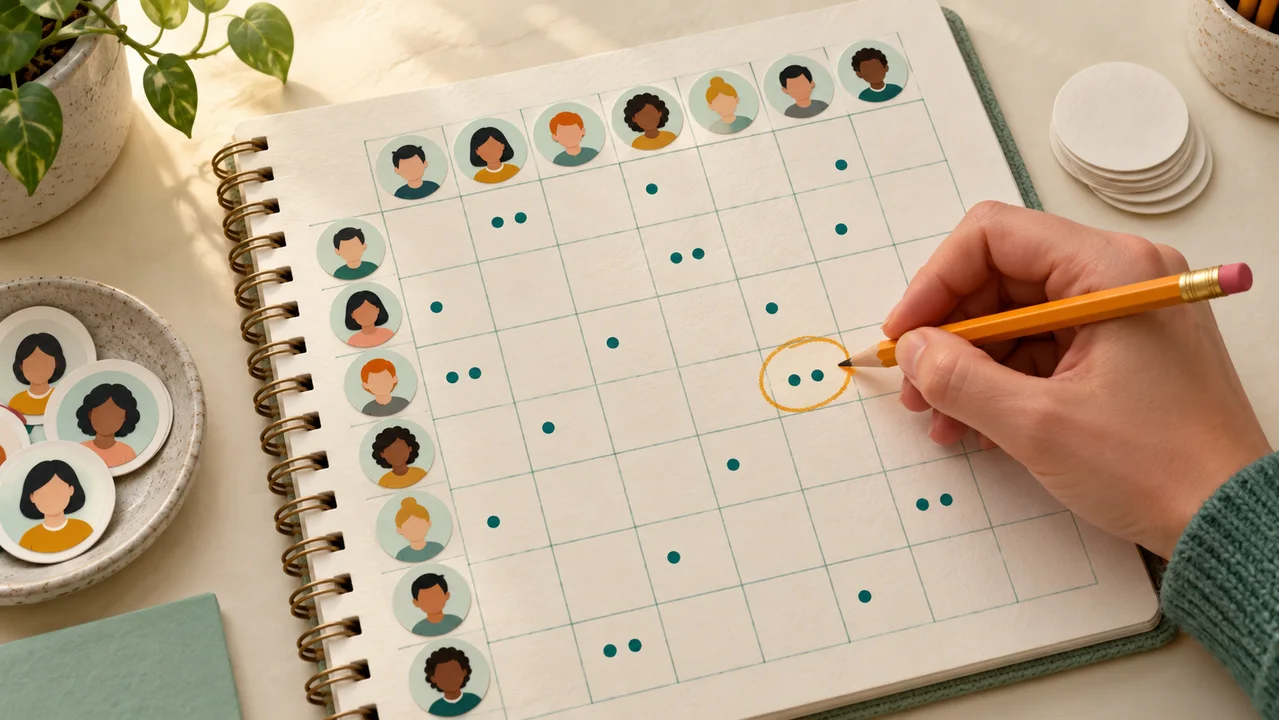
A group of four contains six pairs of people, even when it is called just one group. Renaming that group does not create new contacts. The candidate summary reports how many of its pairs have met before and the sum of their earlier meetings. The history list lets you inspect each pair’s recorded count. These are different measures: one pair that met three times is one repeated pair in the candidate and contributes three previous meetings.

A hand circles two tally dots in a paper meeting-history grid with generic portrait tokens along its edges

How to generate groups using past history

Keep roster identities stable, then confirm the rounds you use.

  1. 01

    Prepare the roster and group sizes

    Enter two to eighty participants. Use lines, commas, semicolons, or tabs as the chosen separator. Names may contain up to one hundred twenty characters; the entire input is limited to twenty thousand characters. Identical names remain different numbered entries. Choose two to twenty nonempty groups by count or maximum group size. Sizes are distributed as evenly as possible, with a difference of at most one. The maximum-size setting is a ceiling, not a requirement to fill every group to that number.

  2. 02

    Bring earlier rounds into the record

    Open Import one past round and use the entry numbers shown in the roster reference. Each line is a group, such as 1, 2, 3 followed by another group on the next line. Every current entry must appear exactly once in that round. Unknown numbers, repeated numbers, and missing people are rejected rather than guessed from names. You can also import a JSON backup created by this tool to restore its roster and complete confirmed history together.

  3. 03

    Preview, confirm, then save if needed

    Generate a candidate and read its repeat counts. Trying again replaces the preview without changing history. Confirm this round records it and makes those meetings part of the next search. Save history on this browser is a manual snapshot of the roster and confirmed rounds; save again after later confirmations. Download a JSON backup for recovery or the full history CSV for a spreadsheet. Unconfirmed previews are excluded from both history exports and local saving.

Clear rules for history and search

Keep the mathematical limits separate from search limits.

Every entry is assigned once per round

Each generated or imported round contains the entire committed roster exactly once, with no empty groups. The tool does not infer absence or allow a missing participant in a historical round. If the roster changes, applying it starts fresh history and removes the saved local copy. Merely editing the text leaves confirmed history intact but stops generation until you apply or restore the committed roster.

A bounded search with honest outcomes

The search compares up to thirty-two candidates and allows up to sixteen improving swaps in each. It first minimizes the number of pairs that have met before, then prefers fewer accumulated past meetings when that count ties. A zero-repeat candidate is directly verified. A result with repeats is the best found during this limited search, not a certificate that no better assignment exists. The calculation runs in a local background worker and can be canceled.

Save only the history you choose to keep

Up to fifty confirmed rounds can be retained for one roster. Saving is explicit and stays in this browser profile; it does not sync or upload participant data. JSON import validates the version, roster identities, and complete rounds before replacing the session. Clear history and saved copy removes the remembered meetings and local snapshot. Keep a backup before clearing data that you may want to recover.

A small example makes the limit visible

Four people in pairs show why zero repeats cannot last forever.

  1. 01

    Use all six different pairs

    For entries one through four, one possible sequence is round one: 1–2 and 3–4; round two: 1–3 and 2–4; round three: 1–4 and 2–3. Those rounds contain six different unordered pairs. Confirming each round records the contacts once. A generated sequence may appear in a different order, but the recorded counts follow the actual confirmed memberships.

  2. 02

    Read a necessary repeat correctly

    There are only six possible pairs among four people. After those three rounds, none remain unseen. A fourth two-group round needs two pair slots, so at least two repeated pairs are unavoidable. The tool shows that lower bound. For larger groups, the same global count can prove some repeats necessary, but a lower bound of zero does not prove that a zero-repeat grouping is feasible under all size constraints.

Build continuity across sessions

The record is only as accurate as the rounds you confirm.

  1. 01

    Classroom discussion groups

    Use a stable labeled roster for a sequence of discussions. Confirm a candidate after choosing the groups you will actually use. If you manually change a group before the activity, discard that preview and import the actual full round using entry numbers instead. Recording an unused candidate would penalize contacts that never happened and could make later rounds less useful. Avoid adding unnecessary personal details to the visible roster.

  2. 02

    Workshops and recurring meetups

    Vary the group count when an activity changes; past contact counts remain relevant even if earlier rounds used other sizes. The optimizer only plans the next round against fixed history. It does not redesign earlier rounds or plan an entire future rotation together. Skill balance, fixed leaders, must-together rules, and must-apart constraints are outside this page’s controls. Review any additional requirement yourself before confirming a round.

  3. 03

    Pick the right neighboring tool

    Random Group Generator suits one independent size-based shuffle. Balanced Team Generator uses ratings to compare team strength. This page’s extra input is confirmed teammate history, and its output is a reviewed next-round candidate. Copy the visible groups or export all confirmed rounds before leaving. Page links contain no roster or history, and a local snapshot on a shared computer can be opened by another person using the same browser profile.

Questions about repeat-aware grouping

Know what the history can and cannot establish.

Can this tool guarantee no repeated teammates?

It verifies when the candidate has zero repeated pairs, but it cannot promise that for every roster and history. Some repeats become mathematically unavoidable. Other cases may have a better arrangement beyond the bounded search. The result distinguishes a verified zero, a positive lower bound proving some repeats necessary, and a candidate with repeats for which the search does not prove impossibility.

How are repeat counts calculated for groups of three or more?

Every unordered pair within a group counts as one meeting in that round. A trio creates three pair meetings and a four-person group creates six. A candidate’s repeated-pair count counts pairs with at least one previous meeting. Its previous-meetings total adds the historical count of those pairs, so it also reflects how often familiar partners have already been together.

Does generating a preview change the history?

No. Only Confirm this round or a successful past-round import adds a round. Generate next candidate can be used again without recording rejected candidates. Editing sizing controls discards the current preview but keeps confirmed rounds. If a real activity used a manually changed assignment, import that full round instead of confirming an inaccurate preview.

Can I import groups from a previous activity?

Yes. Use the current roster reference numbers, with one group per line and spaces, commas, or semicolons between numbers. Every roster entry must occur exactly once. This supports up to twenty nonempty groups per imported round. A valid JSON backup can restore the complete roster and confirmed history. Imports do not guess whether two identical display names represent the same person.

Why can I not edit the roster and keep its old history?

Entry identity is based on the committed roster’s numbered positions. Inserting, removing, renaming, or reordering entries could attach old meetings to the wrong person. The tool therefore keeps history while you edit, but applying a changed roster explicitly clears it and the local snapshot. Restore the original text if you only changed it accidentally, or export a backup before starting a new roster.

What does the mathematical lower bound mean?

The tool counts all possible pairs in this roster and subtracts pairs already seen. If the next round needs more pair slots than unseen pairs remain, at least that difference must repeat. This is a valid but sometimes weak global bound. A zero bound means this calculation has not proved repeats necessary; it does not guarantee a repeat-free grouping exists.

Will my history survive refreshing or switching devices?

Only an explicit local save survives a refresh in the same browser profile. Save again after recording more rounds. A downloaded JSON backup can be imported on another device manually; there is no automatic sync. Browser cleanup can remove local history. Applying a roster, restoring the sample, importing a backup, or clearing history removes the previous stored snapshot to avoid restoring unrelated stale data.

How much history can I keep, and is it private?

The tool supports two to eighty participants and fifty confirmed rounds. The roster and history stay in the active page, the local worker, and any browser snapshot or file you explicitly create. No list is uploaded by this tool. Other people with access to the browser profile, downloaded files, or exported CSV may still see those records, so remove them when finished on a shared device.

No-Repeat Group Generator

Make the next round a chance for new contacts

Start with a stable roster and accurate past rounds.

Review the candidate, confirm the one you use, then save the history.

  • Free to use
  • No signup
  • Runs in your browser

A simple path to your next activity

  1. Keep the roster stable

    Use numbered identities for past groups.

  2. Review repeat counts

    Compare the candidate with confirmed history.

  3. Confirm and save

    Record only the round you actually use.

Zero repeats are verified when found; the bounded search does not certify a global optimum.