

A clear range, a useful result

Random NumberPicker

Choose whole numbers within your range, skip excluded values and decide whether a number can repeat in the same batch.

Free • Local processing • No account

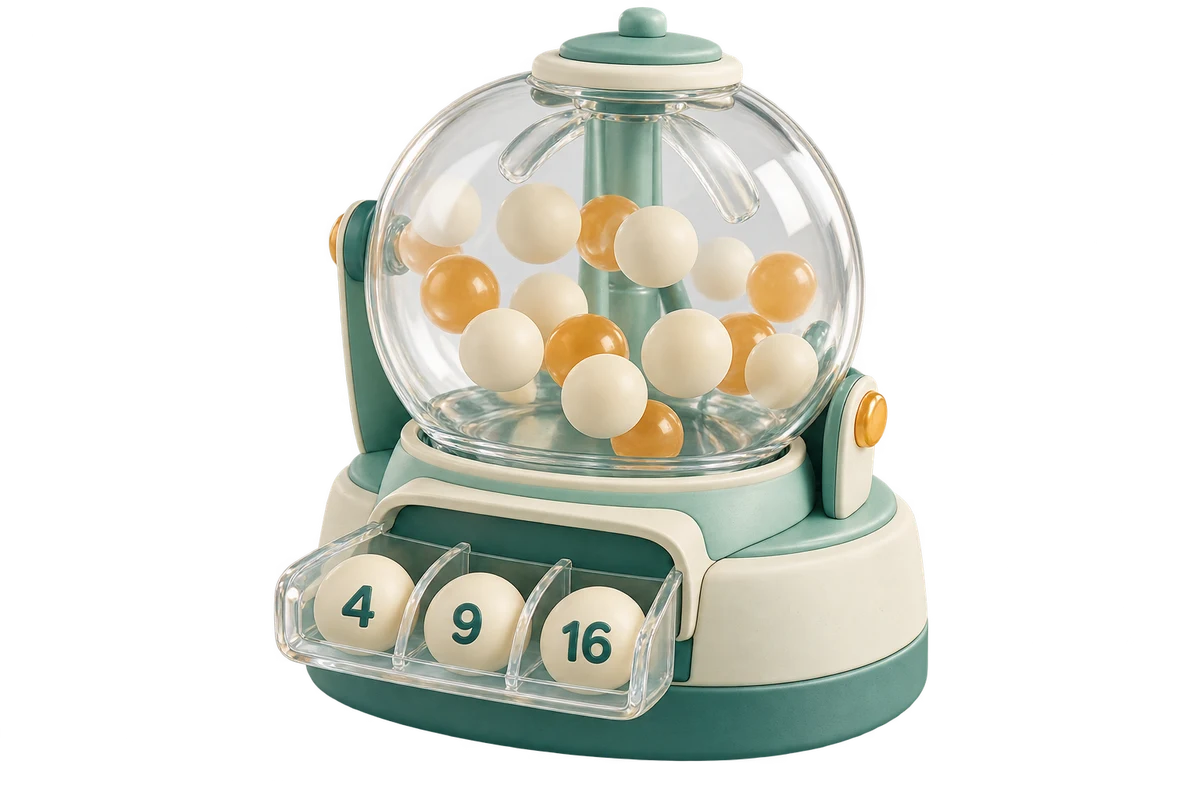
Mint number-drawing machine with a transparent chamber and selected balls marked 4, 9 and 16

Pick one number or a complete batch

Start with 1 to 100, or enter your own inclusive integer bounds and exclusions.

Number settings

Both endpoints included. Whole numbers only, from −9,007,199,254,740,991 to 9,007,199,254,740,991. Use plain digits and an optional sign, without thousands separators.

Choose 1–5000 results. Unique picks must fit the eligible pool.

Separate individual integers with commas, spaces, newlines or semicolons. Up to 5000 tokens and 100,000 characters. No ranges such as 1-5.

Each new draw is independent. No-repeat mode does not exclude numbers from previous batches.

100
Eligible integers
0
Excluded in range

Ready to pick five unique integers from 1 through 100.

Selected numbers

Sorting only rearranges the current batch; it does not draw again.

Set the range and pick a batch. Results will appear here.

Settings and results stay in this tab without tool uploads or persistent storage. Save your batch before refreshing or leaving.

Draw from the numbers you actually need

Define the pool before choosing how many results to produce.

Select integers without typing an entire list

A random number picker is useful when your options already have numerical identities: classroom seat numbers, numbered tasks, sample records or positions in an activity. Enter a minimum and maximum instead of writing every value between them. Both endpoints are included unless you explicitly exclude them. Negative integers and zero work too. The page selects numerical values rather than names, prize types or image entries, so a range can be much larger than a practical pasted list. It does not infer which numbers correspond to real participants; check that mapping yourself.

Number tokens 1, 2, 4 and 5 on a mint strip while excluded token 3 sits in a separate amber dish

Exclude unavailable numbers before drawing

Use the exclusion field for numbers that should never appear in this batch, such as absent classroom numbers or unused record IDs. Separate individual integers with commas, spaces, line breaks or semicolons. Duplicate exclusions count once, and values outside the selected range are ignored with a visible count. Invalid tokens cause an error instead of being silently dropped. The available count subtracts only distinct exclusions inside the range. This makes a request for unique values easier to check before you run the draw.

Teacher checks a classroom sheet beside a laptop showing selected numbers 4, 9 and 16

How to pick random numbers

Set the range, apply the rules and keep the output you need.

  1. 01

    Enter inclusive integer bounds and a count

    The minimum must be no greater than the maximum. Both values must be whole numbers between negative and positive 9,007,199,254,740,991. Enter plain digits with an optional sign; do not use thousands separators, decimals, scientific notation or hexadecimal values in the bound fields. Choose between one and five thousand results. A range containing only one eligible integer is valid: it can produce one unique result, or repeated copies if repeats are allowed. An entirely excluded range cannot produce any result.

  2. 02

    Decide what no repeats means for this batch

    Keep No repeats within this batch enabled when each selected value should appear at most once. The requested count must fit the available pool after exclusions; the tool reports an error instead of silently reducing your request. Disable the setting for independent draws with replacement, where the same value may appear several times. Every press starts a new batch. No-repeat mode does not remember numbers from earlier batches, so a later batch may overlap the previous one. Add earlier numbers to exclusions yourself when that is your intended rule.

  3. 03

    Draw, review the order and export the full result

    Press Pick numbers to generate the batch. The result initially follows the selected display order. Choose Draw order, Lowest first or Highest first without drawing again; every result retains its original draw position. The page displays fifty results at a time, with previous and next controls for larger batches. Copy numbers and TXT download include the complete batch, one value per line. CSV adds the displayed position and original draw position beside each number. Pagination does not shorten any export.

Small controls with precise boundaries

The same rules apply to a classroom range and a very large interval.

Efficient sampling across large ranges

The tool does not build an array containing every integer from the minimum to the maximum. It draws positions in the eligible pool and maps those positions around the sorted exclusion list. In unique mode, a sparse partial shuffle remembers only the positions needed for the requested batch. Integer arithmetic preserves exact endpoints even when the span between them exceeds the safe size of an ordinary JavaScript integer. Work is bounded by the requested output and the exclusion list, rather than by the total width of the range.

Equal chances among eligible values

Random positions come from the browser’s cryptographic random source with rejection sampling to avoid modulo bias. In replacement mode, every eligible value has the same chance on each draw. In unique mode, every not-yet-selected eligible value has the same chance at the next position. Sorting changes how you read the result, not which numbers were chosen. Short batches do not have to look evenly spread, and consecutive values can be perfectly valid outcomes. There is no seed entry or certified public audit on this page.

Predictable input and result handling

The exclusion field accepts up to five thousand tokens and one hundred thousand characters. Repeating an exclusion consumes input capacity but removes that value only once. Inputs such as 1-5 are not interpreted as ranges; enter each excluded integer separately. Changing a bound, the count, the exclusion list or repeat mode clears the old result so it cannot be mistaken for a result of the new settings. Clear result keeps the setup, Restore sample resets the controls, and Clear inputs empties the fields for a fresh setup.

Example: choose three available classroom numbers

A small range makes exclusions and uniqueness easy to verify.

  1. 01

    Use 1 through 10 and exclude 3 and 7

    Set minimum 1, maximum 10, count 3 and exclusions 3, 7. Keep no repeats enabled. There are eight eligible values: 1, 2, 4, 5, 6, 8, 9 and 10. A valid result contains any three different values from that set. For example, 9, 2, 6 illustrates the expected structure, not a promised output. The excluded numbers must never appear. Requesting nine unique values from this pool produces a capacity error, while eight produces all eligible values in a random order.

  2. 02

    Sort the result without changing the draw

    If your batch was 9, 2, 6, choosing Lowest first displays 2, 6, 9 while preserving draw positions two, three and one. Returning to Draw order restores the original sequence without calling the random generator. This is useful when you need a sorted checklist for attendance but also want the original selection order in a CSV. If you generate another batch, it replaces the current result completely. Copy or download the earlier batch first if you need both records.

Match the numbers to a real task

Numerical selection still depends on a sensible input pool.

  1. 01

    Check that every eligible number has a meaning

    For numbered participants, ensure every integer left in the range maps to a person who can actually participate. Exclude gaps and unavailable IDs. If your entries are names, mixed labels or a sparse list that is easier to paste directly, the name picker may be a better fit. Leading zeros are not preserved because this tool treats 007 and 7 as the same integer. It does not make fixed-width codes, choose decimal values or validate an external roster.

  2. 02

    Keep large integers exact outside the browser

    Results are shown and exported as full decimal integer strings. Some spreadsheet programs may round long numeric cells when opening a CSV, even though the downloaded file contains the exact digits. Import that number column as text when preserving a long identifier matters, or use the TXT export. The browser result itself keeps the supported integers exact. Copy failures leave the current result available; try the download controls instead. A random-source failure does not create a partial batch or replace the previous successful one.

  3. 03

    Save the batch before leaving the page

    The tool processes settings and results in the current tab without uploading them or storing a persistent draw history. Reloading or closing the page discards the batch. A copied result does not include the setup, so keep a separate note of the bounds, exclusion list and repeat rule if you need to explain the selection later. This page is for ordinary numerical choices and examples; it does not provide authenticated participant selection, lottery predictions, password management or a verifiable third-party draw record.

Random number picker questions

Range limits, excluded values and repeat behavior.

Are the minimum and maximum included?

Yes. Both integer endpoints can be selected unless they are listed in exclusions. Equal bounds are valid if that one value remains eligible. Negative numbers and zero are supported. The tool rejects a minimum larger than the maximum instead of silently swapping your inputs.

Can I pick several numbers without repeats?

Yes. Enable No repeats within this batch and set the desired count. The count cannot exceed the number of eligible integers after exclusions. Each click creates a separate batch; earlier batches are not remembered, so a number can appear again in a later batch.

How do I exclude specific numbers?

Enter individual integers separated by commas, spaces, line breaks or semicolons. Chinese comma and semicolon separators also work. Duplicate values remove only one eligible number, and out-of-range exclusions are reported as ignored. Range expressions such as 1-5, decimals and invalid text are rejected.

What happens if I ask for more unique numbers than are available?

The tool shows a capacity error and does not reduce the count or return a partial selection. Lower the count, widen the range, remove exclusions or allow repeats. If every value is excluded, even repeat mode cannot produce a number until the pool changes.

Can I use decimals, negative values or very large integers?

Negative integers, zero and positive integers are supported within ±9,007,199,254,740,991. Decimals, exponent notation and values outside that limit are rejected. Large ranges are sampled without allocating the entire interval. Each batch is limited to 5,000 results, regardless of the range width.

Does sorting generate a different batch?

No. Sorting rearranges the existing result only. You can switch back to its original draw order, and CSV keeps each number’s original draw position. Copy and downloads use the currently selected display order. Repeated values remain repeated when the batch was generated with replacement.

Can I copy or download more than the visible page?

Yes. Copy, TXT and CSV include the entire current batch, not just the fifty values shown on a page. Text output has one number per line. CSV includes display position, draw position and number. Import large numbers as text in spreadsheet software if it would otherwise round their digits.

Are results saved, uploaded or kept for the next draw?

The tool keeps the current setup and batch in this browser tab only, with no upload or persistent draw history. A new draw replaces the batch, and a refresh discards it. Input changes clear the result. Save output before leaving if you need a lasting record.

Random Number

Choose from the range that matters

Set the bounds and remove unavailable numbers.

Draw a batch, choose its display order and save the complete result.

  • Free to use
  • No signup
  • Runs in your browser

A simple path to your next activity

  1. Define the pool

    Choose inclusive bounds and exclusions.

  2. Choose repeat behavior

    Unique values or independent repeated draws.

  3. Keep the result

    Copy numbers or download TXT and CSV.

Exact integer ranges, clear exclusions and a result you can copy.