People, tasks and real limits

Random Task AssignmentGenerator

Match real tasks to people with required headcounts, individual capacity and explicit exclusions. See every unfilled place before sharing.

Free • Local processing • No account

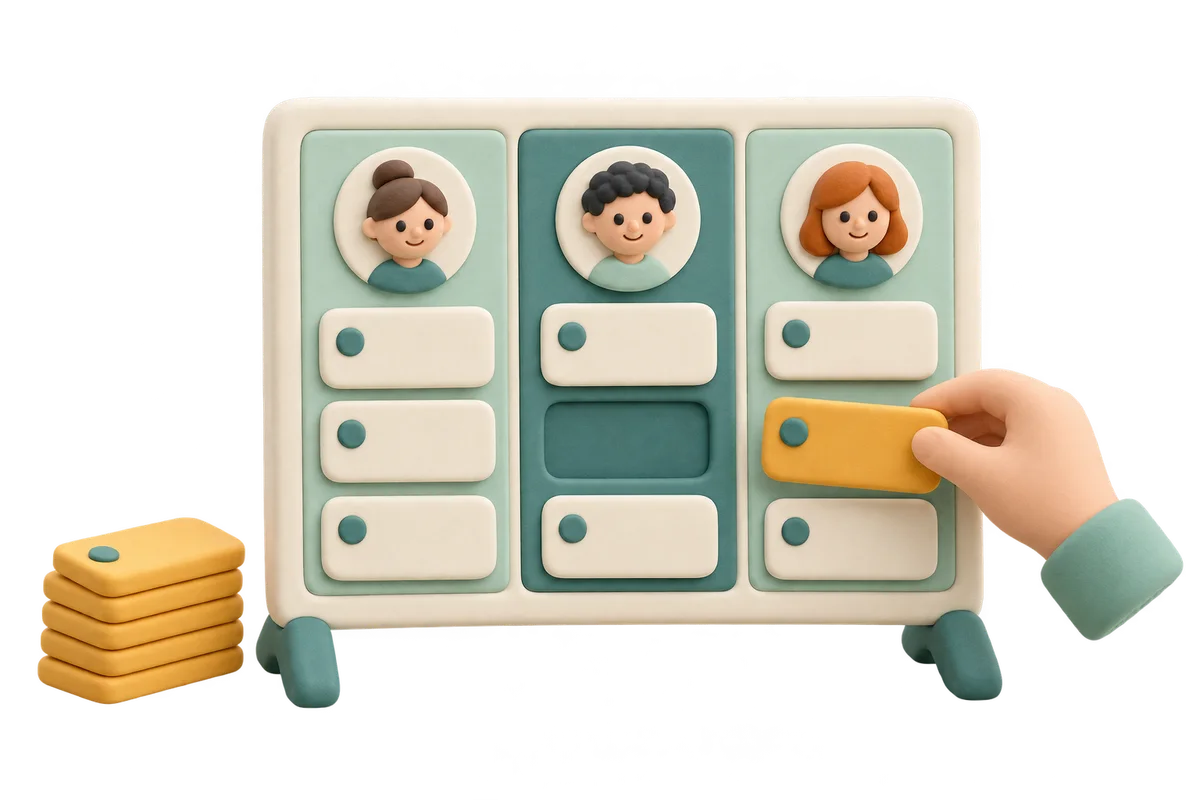
Clay project board with portrait columns and a hand placing a task ticket into an available member column

Who will take each task?

One person may take several different tasks; each task can require several distinct people.

People and tasks

One person per line: name | maximum different tasks. Default 1; limits 1–30. Up to 30 people, 120 characters per name, 6,000 characters per list.

One task per line: task | required distinct people. Default 1; headcounts 1–30. Up to 30 tasks, same text limits. Matching names keep separate IDs.

Separate UTF-8 TXT files up to 24,000 bytes each. Editing or importing either list clears every exclusion and the old result.

Person and task ID reference
  • Person 1: Alex
  • Person 2: Blair
  • Person 3: Casey
  • Task 1: Welcome kits
  • Task 2: Leaflets
  • Task 3: Supplies
3
People
—
Filled / required
—
Unfilled places

One person ID,task ID per line; e.g. 1,2. Comma or Chinese comma. Repeated rules are ignored; unknown IDs are rejected. Up to 6,000 characters.

Maximize filled places while respecting every limit and exclusion. Randomized ties are not uniform outcome probabilities or a promise of equal workloads.

Three people and four task places are ready. Add exclusions if needed.

Task assignment results

Generate to see assigned people, missing places and unused personal capacity.

People, tasks and rules stay in this tab and its local worker, without upload or persistent storage by this tool. Export before refreshing.

Turn two lists into a practical responsibility map

Make the rules visible before drawing an assignment.

One-to-one and one-to-many assignments

A random task assignment generator connects two different lists: people who can help and jobs that need doing. With capacity one for every person and headcount one for every task, the result is a one-to-one matching. Increase a person’s capacity to let that person take several different jobs. Increase a task’s headcount when a job needs several distinct helpers. Each person appears at most once on a particular task, even if that person has spare capacity. This prevents one name from falsely filling a two-person requirement.

Community volunteers separately arranging leaflets, jointly packing welcome kits and carrying supplies

A missing place stays visible

Total capacity alone cannot prove that all work fits. Two tasks might both depend on the same person because everyone else is excluded, while spare capacity belongs to people who cannot do those jobs. The matcher finds the maximum number of assignable places under the entered rules and reports the remainder. A partial result is explicitly labeled; it never secretly increases anyone’s limit or ignores an exclusion. Review each task’s filled headcount and eligible people alongside the person summary before treating the allocation as ready.

Close view of three member capacity ledgers with task tokens, remaining spaces and a separate unfilled task ticket

How to assign tasks randomly

Enter the two lists, check IDs, then define exceptions.

  1. 01

    List people and maximum task counts

    Enter one person per line, optionally followed by a pipe or tab and a whole-number task limit. Alex | 2 means Alex can take at most two different tasks. An omitted or blank limit defaults to one. You can enter one to thirty people, each name up to one hundred twenty characters, within six thousand input characters. This is an upper limit, not a promise that every person receives that many tasks or an equal amount of work. Remove someone who cannot participate.

  2. 02

    Describe tasks and required headcounts

    Enter one task per line, optionally followed by a pipe or tab and its required number of distinct people, from one to thirty. Welcome kits | 2 creates two places on that task. You may list one to thirty tasks within the same text limits. Name jobs clearly enough for someone to carry them out. Two tasks with the same name remain separate task IDs; they are not combined into a single larger task. Import separate UTF-8 TXT files when your lists are already prepared.

  3. 03

    Exclude specific person–task combinations

    Open the ID reference, then enter one person ID and task ID separated by a comma on each exclusion line. For example, 1,2 prevents person one from receiving task two. A Chinese comma also works. Duplicate rules are ignored, while malformed or unknown IDs stop generation. Changing or importing either list clears all exclusions and the previous result so old numeric rules cannot silently point to different people or tasks. Review and re-enter those exceptions after editing the source lists.

Capacity matching with clear guarantees

Random choices operate inside the rules you entered.

Hard limits survive every draw

The algorithm builds a capacity network between people and tasks. A person-to-task connection has capacity one, an excluded connection is absent, and each side has its own entered limit. A maximum-flow calculation fills as many task places as possible. No successful edge violates these constraints, including in a partial result. Re-generating can change which legal allocation is selected, but cannot make an impossible configuration complete. If a job needs more different people than remain eligible, its headcount cannot be filled by repeatedly assigning one helper.

Randomized allocation is not a workload guarantee

Secure browser randomness provides randomized connection costs when multiple legal allocations exist. This is not a uniform lottery over every possible full assignment, and people with different exclusions or limits do not have equal chances for each task. The tool prioritizes coverage, not equal task counts, equal minutes, difficulty, skills or preferences. Two short tasks can be easier than one long task. Agree on sensible limits and task definitions before drawing, and review the actual workload with participants afterward rather than treating task count as measured effort.

Keep the complete result

Copy includes task assignments, unfilled headcounts, eligible-person totals and each person’s used and remaining task capacity. CSV exports one row for every required task place, including blank-person rows explicitly labeled unfilled. Printable output includes every task and the person summary, even when the on-screen lists scroll. The CSV uses quoted fields and protects formula-leading names for spreadsheet use. These are downloadable snapshots; exporting does not send messages, create project-management tasks, synchronize another application or track whether the work was completed.

Example: three helpers and four task places

A feasible allocation can still leave some personal capacity unused.

  1. 01

    Prepare the example and its constraints

    Use Alex | 2, Blair | 1 and Casey | 1 as people. Enter Welcome kits | 2, Leaflets | 1 and Supplies | 1 as tasks. Total personal capacity and total task demand both equal four. Exclude 2,3 so Blair cannot take Supplies. One possible complete result gives Welcome kits to Alex and Blair, Leaflets to Casey and Supplies to Alex. That uses capacities two, one and one without assigning any person twice to the same task. Other valid results can appear when you generate again.

  2. 02

    Understand a structural shortage

    Change Welcome kits to require three people, then exclude Blair and Casey from that task. Only Alex is eligible, so Welcome kits can receive at most one person even when Alex has capacity for many tasks. The remaining places are explicitly missing. Separately, capacity can be sufficient overall but tied up on the wrong connections. If two jobs can only go to Blair and Blair’s limit is one, at least one place remains unfilled. Increasing another person’s unrelated capacity cannot solve that rule bottleneck.

Use the draw for real work

Separate the assignment decision from scheduling and completion.

  1. 01

    Choose tasks with comparable, clear scope

    For random chore assignment, describe actions such as wipe the table, refill supplies or sort materials rather than vague labels such as help out. Split a large responsibility only when each piece can genuinely be performed independently. Enter a higher headcount when several people should cooperate on the same job. Capacity counts distinct jobs assigned during this single draw; it does not represent hours, simultaneous availability, skill level or physical capability. Check those real-world requirements yourself before allowing a person to participate in a job.

  2. 02

    Diagnose shortages without erasing rules

    Read the overall missing count, then inspect the affected tasks and personal remaining capacities. Eligible counts consider exclusions but do not account for capacity already needed elsewhere, so an eligible count larger than demand does not by itself prove feasibility. The maximum matching proves that no allocation under the current inputs can fill more places, although a different draw may move a shortage between tasks. Add genuinely available people, adjust real limits or revise an unnecessary exclusion; do not repeatedly draw and expect capacity to appear.

  3. 03

    Keep the right tool for the next step

    This page makes one responsibility allocation without dates, repeated rotations, private role reveals or historical fairness. If you only need to choose one helper, use Random Name Picker. If everyone needs a position in a sequence, use List Randomizer. Names, tasks, exclusions and results are processed in this tab and its local worker, with no upload or persistent browser storage by this tool. Export before leaving or refreshing. The public page URL shares the tool itself, never the current assignment data.

Random task assignment questions

Practical answers about headcounts, exclusions, shortages and exports.

How can I randomly assign tasks to people?

Paste people and tasks into the two lists, optionally add a task limit for each person and a required headcount for each job, then generate. Review all missing places before sharing. Unlike drawing one name, the matcher allocates as much of the whole task list as the capacity and exclusion rules allow.

Can one person receive several tasks or one task need several people?

Yes. Alex | 2 allows Alex up to two different jobs. Welcome kits | 2 requires two distinct people for that job. A person can appear only once on any one task, so one helper with a high limit cannot fill a multi-person job alone. All entered limits and demands must be whole numbers from one to thirty.

What happens when there are more tasks than people?

That can still work when people have capacity for multiple different tasks. What matters is required headcounts, individual limits and allowed person–task connections together. If not all places fit, the maximum feasible allocation is shown with an explicit missing total and task-by-task gaps. It is never labeled a complete result.

How do I exclude someone from a particular task?

Use the displayed numeric ID reference and enter person ID,task ID on one line, such as 1,2. Each rule forbids that connection. Duplicate rules are harmless; unknown IDs and malformed rules are rejected. Editing or importing either source list clears the exclusions, so check the new IDs and add the rules again.

Is the assignment fair and equally likely for every person?

The tool respects entered capacity and exclusions and maximizes filled task places. Random connection costs choose between possible allocations, without guaranteeing equal task counts or uniform probabilities across all full outcomes. It does not measure effort, hours or difficulty. Review those factors before publishing a responsibility list.

Why can a task be unfilled while someone has spare capacity?

Spare capacity may belong to someone excluded from that task or already assigned to it once. Several jobs may also compete for the same limited helpers. Eligible-person counts ignore this competition. A different draw may relocate gaps but cannot increase the maximum filled total without a meaningful change to the inputs.

Can I copy, print or export all assigned and unassigned tasks?

Yes. Copy and print include all tasks and each person’s used and spare capacity. CSV has one row per required task place, preserving unfilled places with a blank person and a missing status. Exports are complete even when the result panel scrolls. They do not assign work in an external application or notify people.

Are duplicate names allowed, and is my task list saved?

Duplicate person and task names remain separate numbered entries. Use clear labels so you can identify real participants and jobs. Separate UTF-8 TXT imports accept up to 24,000 bytes per file. Inputs and results are not uploaded or persistently saved by this tool; export before refreshing. Changing either list also clears exclusions and the prior allocation.

Random Task Assignment

Give each task a clear owner

Set real headcounts and personal limits.

Review exclusions and missing places before sharing.

  • Free to use
  • No signup
  • Runs in your browser

A simple path to your next activity

  1. Add two lists

    People with limits and tasks with headcounts.

  2. Check the rules

    Exclude unsuitable person–task connections.

  3. Share the result

    Review shortages, then copy, export or print.

Capacity is a hard limit; task counts do not measure workload.