

Free · Made for the room · No signup

Wheel of NamesGive every turn a little suspense.

Add your names, gather everyone around, and spin. A clear pointer and a readable winner make your next classroom turn or workshop choice easy to follow.

Equal entry chances · Optional repeats · Fullscreen

A freestanding teal and amber wheel with portrait symbols and a fixed pointer

Who gets the next turn?

Try the sample or add up to 200 entries. Each entry gets one equal slice.

Your wheel entries

Your wheel entries

One entry per line. Up to 200 entries, 120 characters each. Blank lines are ignored; matching names stay separate.

Changing this rule resets the pool. The finished wheel stays visible until the next spin.

Available: 6 / 6
AlexJordanSamTaylorMorganCasey

Each eligible entry has a 1 in 6 chance.

Ready to spin. Every entry has an equal chance.

The winner

Spin to reveal a name and its original entry number.

Names and results stay in this tab. They are not uploaded or saved. Reloading starts a fresh session.

A shared moment before the next name

Make the selection visible when you have a room full of people to involve.

Bring the choice onto the big screen

Use this random name wheel when the selection itself is part of an activity. Students can watch the pointer, workshop participants can follow the draw, and the host can announce the result without switching screens. The wheel stops on the same entry shown in the winner panel. For a quiet meeting, leave sound muted. For a classroom display, enter fullscreen after checking that the roster contains only information you want everyone to see.

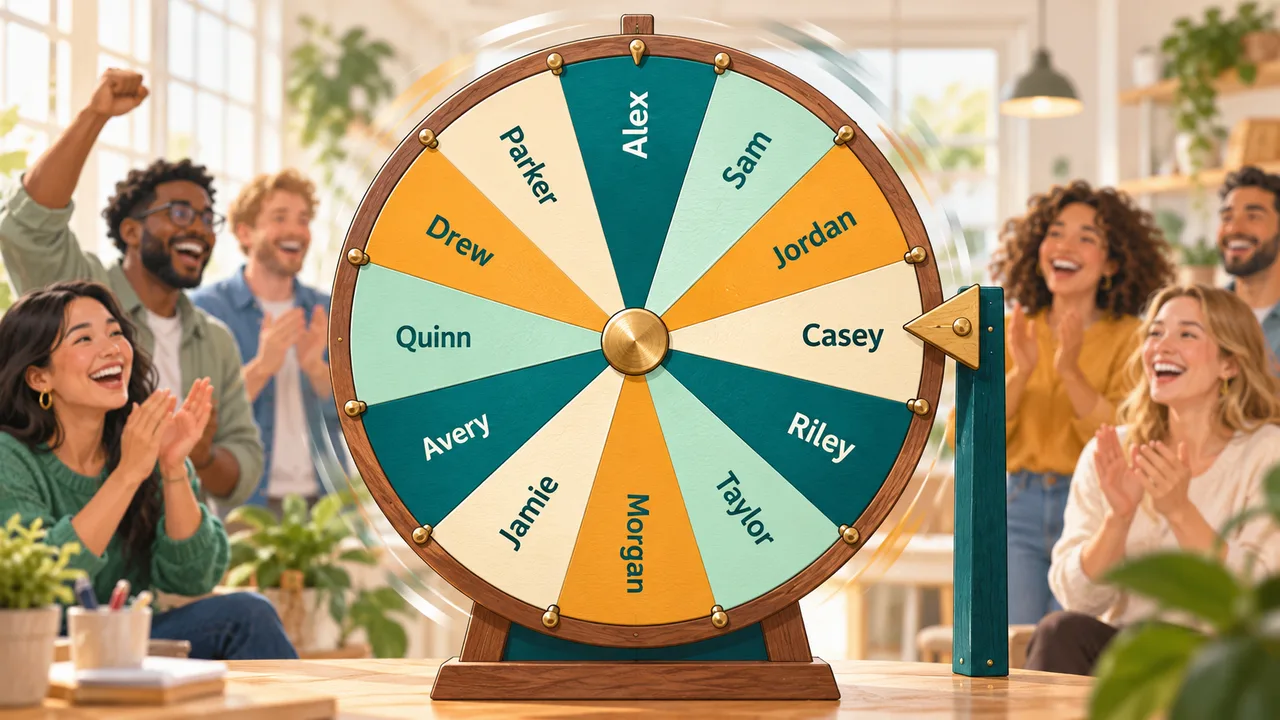
A large teal and amber name wheel with a fixed pointer in front of a cheering workshop audience

A quieter choice for smaller meetings

A wheel can make a choice visible without turning it into a noisy event. Keep sound muted when a team is discussing ideas or preparing for a presentation. Check the eligible entries before spinning, then read the selected name from the result panel. If each participant should have one turn, enable removal after a win; restore the full list when you start a new activity.

A laptop showing a teal and amber wheel with a muted speaker symbol on a quiet meeting desk.

How to use the wheel of names

Prepare the roster, agree on repeat rules, and make your first selection.

  1. 01

    Add and check your entries

    Paste one name or option per line. Choose commas, semicolons, or tabs if your source uses those separators; new lines also work with each of these choices. Blank entries and outer spaces are removed. Keep New lines selected for a label such as Rivera, Alex so the comma remains part of the name. Check the displayed entry count before starting. Two identical labels remain two separate entries, each with its own original entry number.

    • Use initials to distinguish people with the same name
    • Review attendance before projecting the list
  2. 02

    Decide whether winners stay eligible

    Leave Remove winners enabled when each participant should get at most one turn in the current session. Disable it when every spin should use the complete list again. Changing this rule restores all entries and clears the old result, so announce the setting before your activity begins. Reset wheel also restores the complete roster without deleting the names. The tool does not silently decide that someone has already participated in a different session.

    One entry per person gives equal chances per person. Repeating a person’s name creates extra entries and therefore extra chances.

  3. 03

    Spin, read, and copy the result

    Select Spin the wheel, or focus that button with Tab and press Enter or Space. During the animation, another spin and changes to the roster are disabled. The winner panel identifies both the full label and its original entry number. Copy winner saves that text to the clipboard. If your operating system requests reduced motion, the same selection appears immediately without the long rotation. Fullscreen and Mute sound remain available while a spin is running.

    Return to the wheel

Rules everyone can understand

The visible wheel and the selection logic use the same eligible entries.

A round without repeat winners

Remove winners excludes the selected entry from later spins. The finished wheel stays visible for checking the pointer; the next spin redraws it with the remaining entries. When the pool is empty, the tool asks you to reset. It never quietly puts a winner back into the draw.

Independent spins with repeats

With removal off, every entry remains eligible every time. Seeing the same name twice in a row is possible and does not itself show a fault. This mode suits independent prompts, warm-up questions, or choices where earlier outcomes should have no effect on the next selection.

Presentation controls that respect the room

Sound is muted initially. Turn it on for short start and result tones, or keep the activity silent. Fullscreen enlarges the existing tool panel when your browser supports it. Reduced-motion preferences skip the animated spin without changing the chance of any entry or hiding the result.

A complete four-person example

Possible results explain the rules; your actual winners will vary.

  1. 01

    Give four volunteers one turn each

    Enter Alex, Jordan, Sam, and Taylor on separate lines and leave Remove winners enabled. The first wheel has four equal sectors. Suppose Jordan wins: the result says Jordan, Entry 2, and the available count becomes three. The completed four-sector wheel remains on screen so you can check the pointer. On the next spin, the wheel contains only Alex, Sam, and Taylor. Jordan cannot be chosen again during that session.

    After four completed spins, all four entry identities have been selected once. A fifth attempt shows an exhausted-pool message. Reset wheel restores the four entries and clears the previous result.

  2. 02

    Understand two people with the same name

    Now replace the roster with Alex, Alex, and Sam. There are three equal entries, not two. Either Alex label has a combined two-out-of-three chance of appearing on the first spin, while each individual entry has a one-in-three chance. If Entry 1 wins and removal is enabled, Entry 2 remains eligible. Add initials before the activity if you need people to recognize who was selected without referring to an entry number.

Fair selection, clear expectations

A visible spinner helps people follow a choice. The rules determine what that choice means.

  1. 01

    How the random result matches the pointer

    This tool obtains random integers from the browser’s cryptographic random source. It rejects values that would create an uneven integer distribution, then selects one eligible entry. The animation is calculated to land the center of that entry’s equal-size sector at the fixed pointer on the right. Clicking faster, waiting longer, or turning sound off does not change the odds. No entry is chosen because of its name, position, or color.

    Equal chances apply to entries, not automatically to unique people. Random selection does not guarantee a balanced sequence over a small number of independent spins, and this tool does not provide certified drawings or third-party verification.

  2. 02

    Choose a spinner or an instant text result

    A name spinner wheel is useful when a room should see the process unfold: announcing a discussion leader, selecting an activity, or choosing the next presenter. If you only need a quick answer or several names at once, the related Random Name Picker provides immediate text results and batch selections. This wheel deliberately chooses one entry per spin. It does not allocate teams, infer abilities, verify attendance, or keep a long-term participation record.

    Open the instant name picker
  3. 03

    Keep the roster manageable and private

    The wheel supports up to 200 entries, 120 characters per label, and 200,000 characters of source text. Larger rosters are rejected rather than partly included. Above 30 entries, sector labels are hidden because they would overlap; every entry still receives an equal sector and the winner is shown in full. Long sector labels may be shortened visually while the full name remains intact in the result.

    Names and results stay in this page’s memory. They are not sent in analytics, saved to browser storage, or placed in the URL. General page analytics are separate. Reloading starts with sample entries. Clear list removes the active roster and result. Text you copy elsewhere remains there until you remove it.

Wheel of names FAQ

Practical answers for classroom displays, repeat winners, and everyday use.

Why did the same name win twice?

When removal is off, repeated winners are allowed. When removal is on, two different entries can still share the same label. Check the original entry numbers in the results and distinguish same-name participants with initials before starting.

Is every entry equally likely to win?

Yes. Every eligible entry occupies the same share of the wheel and has the same probability on that spin. The browser selects the entry before animating to it. This version has no hidden preferred winner or weight setting.

Can I turn off the sound effects?

Yes. Mute sound is enabled when the page opens. Leave it checked for silence, or uncheck it for short tones at the start and finish. Browser audio restrictions can prevent tones; an audio error does not change the selected winner.

Why is fullscreen unavailable on my device?

Some mobile browsers and embedded views do not allow the Fullscreen API. The tool explains when that request fails and remains usable in the normal page. On supported browsers, select Exit fullscreen or use the browser’s usual exit control.

How can I use the wheel in a classroom?

Check attendance, use brief recognizable labels, explain the removal rule, and test the display before sharing it. Keep sound muted if it would interrupt the lesson. Offer an agreed way to pass when participation should be optional.

Why did editing my list clear the winner?

The old winner came from the previous roster or settings. Editing entries, changing separators, or changing removal mode clears the result and restores the pool so that an earlier selection cannot be mistaken for a draw from your new setup.

Wheel of Names

Make your next turn a shared moment

Add the people or options for your activity, then give the wheel a spin.

Explore the instant name picker when a quick text result fits the task better.

  • Free to use
  • No signup
  • Runs in your browser

A simple path to your next activity

  1. Fill the wheel

    Add the names or options taking part.

  2. Choose your rules

    Decide whether winners stay in the next spin.

  3. Spin and reveal

    Follow the pointer and copy the chosen name.

No account required. Your roster stays in the active browser tab.