A dated rotation you can review

Fair Duty RosterGenerator

Plan classroom duties and volunteer turns across dates. Respect unavailability, balance assignment counts and see consecutive duties or uncovered places.

Free • Local processing • No account

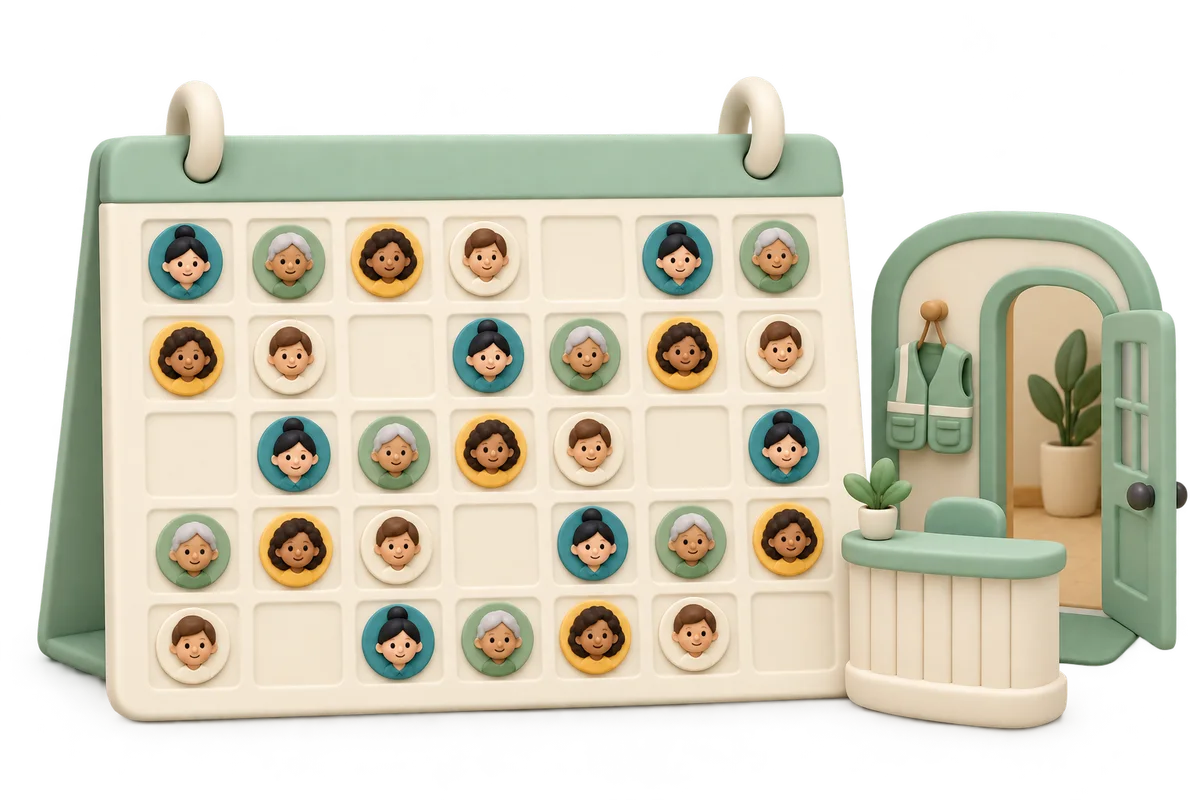
Clay calendar with alternating portrait badges beside a miniature community welcome desk and volunteer vest

Plan the next duty rotation

Enter people, dated slots and headcounts, then mark who is unavailable.

People and dated duties

One person per line. Up to 30 people, 120 characters per name and 6,000 input characters. Matching names keep separate IDs.

One YYYY-MM-DD | label | headcount per line, pipes or tabs. Headcount defaults to 1, range 1–30. Up to 31 slots and 6,000 characters. Dates sort; same-date slots keep line order. No overlap checks.

UTF-8 TXT up to 24,000 bytes each. Editing or importing either list clears all unavailable rules and the previous roster.

Person and original slot ID reference
  • Person 1: Alex
  • Person 2: Blair
  • Person 3: Casey
  • Slot 1: Oct 26, 2026 · Welcome
  • Slot 2: Oct 27, 2026 · Welcome
  • Slot 3: Oct 28, 2026 · Welcome
  • Slot 4: Oct 29, 2026 · Welcome
  • Slot 5: Oct 30, 2026 · Welcome
  • Slot 6: Oct 31, 2026 · Welcome
3
People
—
Filled / required
—
Unfilled places

One person ID,slot ID per line, e.g. 2,1; comma or Chinese comma. IDs refer to original nonblank lines, even after date sorting. Up to 6,000 characters.

Fill maximum coverage, then balance total counts. The break preference compares eight balanced candidates and bounded improvements; it cannot guarantee zero consecutive duties. Consecutive means neighboring sorted rows, not elapsed rest hours.

Three people and six one-person dated slots are ready. Mark absences if needed.

Dated duty roster

Generate to see dated coverage, personal counts and consecutive duties.

People, dates and absence rules stay in this tab and local worker, without uploads or persistent storage by this tool. No payroll or employment-rule checks. Export before refreshing.

Balance turns across the whole dated roster

Coverage, total counts and consecutive slots are separate questions.

Give each duty a real date and headcount

A fair duty roster generator assigns people across dated slots, such as classroom cleanup, community reception or volunteer opening duty. Each slot has a date, a label and a required number of distinct people. Unlike a one-time task allocation, the same person may appear on different dates and the complete roster is assessed together. Names and date rows remain visible alongside coverage. The page does not infer a calendar range, public holidays or recurring weekly patterns; enter only the dated slots you actually need to staff.

Community volunteers handing over keys at reception while two people review a wall calendar

Respect absences without hiding the tradeoffs

Mark unavailable person–slot pairs before generating. Those connections are never used. The scheduler first fills the maximum possible duty places and then balances people’s total assignment counts within that coverage. Known absences can force unequal totals or repeated duty, so actual counts and consecutive metrics are shown. A completely unavailable person remains in the summary with zero assignments. Missing places stay visible on their dates instead of being assigned to someone who said they could not attend. Review those constraints with the participants before publishing.

Open availability planner with portrait markers, blank date squares and a small blocked-time marker beside balanced duty counters

How to make a balanced duty rotation

Make the dates and exceptions explicit before drawing.

  1. 01

    Add people with distinct IDs

    Paste one person per line or import a UTF-8 TXT file. The roster supports one to thirty people, with names up to one hundred twenty characters and six thousand input characters. Blank lines are ignored. Matching names remain separate numbered entries, which helps distinguish participants with the same display name; do not duplicate one real person to give them extra weight. There is no skill, role qualification, part-time weighting or previously worked duty count attached to a name. Each new roster starts its totals from zero.

  2. 02

    Enter dated duty slots and required people

    Use YYYY-MM-DD | label | headcount on each line, for example 2026-10-26 | Morning welcome | 2. The final headcount defaults to one when omitted or blank and must be a whole number from one to thirty. Pipes or tabs separate the fields. Up to thirty-one dated slots are supported. Dates are validated, including leap years, then sorted in calendar order. Slots on the same date keep their original line order; their original numeric IDs stay unchanged so availability rules still identify the intended row.

  3. 03

    Mark unavailable slots and review the result

    Expand the person and slot ID reference and enter one person ID,slot ID per line, such as 2,1. Duplicate rules are ignored; unknown IDs stop generation. Enable Prefer breaks between duties to explore several count-balanced candidates and improve consecutive patterns. Generate, inspect all uncovered places, the total-count gap and each person’s summary. Any change to a setting clears the old result. Editing or importing either list also clears all unavailability rules so old IDs cannot silently move to new entries.

What fairness means on this page

The priority order is visible and measurable.

Fill available places, then spread total counts

The scheduler uses an integral minimum-cost maximum-flow calculation across the complete date list. Each person can fill at most one place in a particular slot. Within maximum coverage, increasing marginal assignment costs minimize the sum of squared personal duty counts, discouraging concentration on a few people. Randomized tie costs cannot outweigh that count objective. With unrestricted availability, totals differ by at most one. Availability restrictions can force a larger gap, which is displayed rather than concealed. Counts include every listed person, even someone unavailable for all slots.

Prefer breaks without claiming a hard rest rule

With the break preference enabled, eight randomized count-optimal candidates are considered. Bounded local moves keep coverage, availability and the count objective intact while preferring a shorter longest run, then fewer adjacent assignments. This improves some avoidable patterns but does not prove the global minimum consecutive total or enforce a maximum run. A consecutive run means neighboring rows in the sorted slot list, including separate slots on the same date or dates separated by a weekend. It is not a calculation of elapsed rest hours or consecutive calendar days.

Export every dated place

Copy and print include the complete dated roster, missing places, count gap and each person’s count, availability and consecutive statistics. CSV has one row per required place, including blank-person rows marked unfilled. The screen table scrolls on small displays without limiting any export. Dates use the unambiguous ISO format, and spreadsheet formula-leading labels are protected. Exports do not send notifications or update a shared calendar. Use the browser’s print dialog for a paper copy or PDF; there is no built-in calendar file, account or cloud synchronization.

Example: three people and six dated turns

Equal counts and a useful order can be checked independently.

  1. 01

    Start with a complete balanced roster

    Enter Alex, Blair and Casey with six one-person slots from October twenty-six through October thirty-one, labeled Welcome. With everybody available and the break preference enabled, each receives two duties. One possible rotation is Alex, Blair, Casey, Alex, Blair, Casey. Total demand is six, the count gap is zero, the longest consecutive run is one and adjacent assignments total zero. Randomized ties can change who goes first; the example is a valid illustration rather than a fixed promised sequence or a historical duty record.

  2. 02

    Add absences and an uncovered requirement

    Suppose Casey is unavailable for every slot and the first slot now needs three people. Only Alex and Blair can attend that slot, so one place must remain unfilled regardless of the draw. The remaining covered places are spread between those available people, while Casey’s count stays zero. The displayed gap therefore includes Casey and may exceed one. If a single person is available for several neighboring slots, consecutive assignments can be unavoidable. The break preference never overrides an absence or discards an otherwise coverable place to improve the statistics.

Prepare a roster people can use

Confirm availability and responsibility outside the generator.

  1. 01

    Collect absences before generating

    Ask participants about the exact dated slots you plan to enter. Unavailability applies to a row, not automatically to an entire date, weekday or recurring period. To block both morning and afternoon, add both slot IDs. If two listed slots overlap in real time, the tool can still assign the same person to both because labels are not parsed as time intervals. Keep the slots sequential or review simultaneous duties yourself. Changing the list resets exceptions, so finish the dated rows before entering availability rules.

  2. 02

    Use counts alongside real effort

    A one-hour welcome desk and a five-minute classroom cleanup both count as one duty here. Fair shift rotation in real life can involve duration, difficulty, skills, preferences, weekend burden and past contributions. Those factors are not measured or optimized by this page. There is no employment-rule, payroll, overtime, minimum-rest or legal-compliance validation. Use this proposal for simple classroom, community and small-team turn taking, then confirm suitability with the organizer. Do not infer equal effort from equal counts or treat a low consecutive metric as a professional staffing guarantee.

  3. 03

    Save the complete snapshot before leaving

    People, dated slots, absence rules and results are processed locally in this tab and worker without upload or persistent storage by the tool. Reloading starts again, with no link to an earlier month or record of completed duties. Export the accepted proposal and communicate it through your normal channel. For a one-time list of different jobs with personal task limits, use Random Task Assignment Generator instead. That tool assigns responsibilities without dates; this one spreads repeated duties across the full date list. Neither automatically imports the other’s inputs.

Fair duty roster questions

Answers about dates, fairness, availability and consecutive assignments.

How do I create a fair duty roster?

Add the people, enter dated slots and headcounts, then mark unavailable person–slot pairs. Generate and review missing coverage, personal counts and consecutive patterns before sharing. The scheduler maximizes filled places and balances total counts across the whole roster; the optional break preference then tries to reduce neighboring duties without losing that coverage or count balance.

Can I use different dates, multiple slots per day and different headcounts?

Yes. Enter one YYYY-MM-DD | label | headcount row per slot, up to thirty-one slots. Headcounts range from one to thirty and default to one. Dates sort chronologically; same-date slots keep input order. Labels are plain text, so overlapping real-time duties are not detected and the same person may receive more than one slot on a date.

How do I mark someone unavailable?

Use the ID reference and enter person ID,slot ID on each unavailable line. Add a separate rule for each affected slot, including multiple slots on the same date. Rules are hard exclusions. Changing or importing either source list clears all exceptions and the previous result, so review IDs and enter the rules again after edits.

Will everyone receive exactly the same number of duties?

With everyone available, counts differ by at most one when the total cannot divide evenly. Absences can force larger differences. Within maximum coverage, the tool minimizes the sum of squared counts across all listed people, including zero-count people, and displays the actual maximum-minus-minimum gap. It does not balance hours, difficulty, weekends or past rosters.

Does the generator prevent consecutive duties?

Prefer breaks explores eight balanced candidates and applies limited count-preserving improvements. It favors a shorter longest run and then fewer adjacent assignments, without a global optimality or zero-consecutive guarantee. Consecutive means neighboring sorted slot rows, even across a date gap. No hard maximum streak or minimum rest period is enforced; unavoidable runs remain visible.

What happens when too few people are available for a slot?

The row shows its assigned people and missing headcount, and the overall result is explicitly partial. A person never fills the same slot twice and an unavailable person is never used. The tool fills all coverable places before balancing counts, so it does not leave additional gaps merely to make the fairness statistics look better.

Can I export or print the full dated duty table?

Yes. Copy and print include every dated slot plus each person’s count and consecutive summary. CSV exports one row per required place, preserving missing places with an unfilled status. Scrolling the screen table does not truncate output. Printing can use your browser’s PDF option, while calendar synchronization, notifications and cloud sharing are not provided.

Is this a saved staff schedule with payroll or compliance checks?

No. This is a local proposal for simple duty rotation, with no persistent roster history, attendance, payroll, overtime or employment-rule checks. Counts restart with each generated plan. Names, slots and rules stay in this tab and local worker without tool uploads or storage. Export before refreshing, and review the proposal against your actual circumstances.

Fair Duty Roster

Make the next turn clear

Enter actual dates and availability.

Check coverage, counts and consecutive duties before sharing.

  • Free to use
  • No signup
  • Runs in your browser

A simple path to your next activity

  1. List the dates

    Add people and required headcounts.

  2. Respect absences

    Mark unavailable slots and prefer breaks.

  3. Review and keep

    Check the full table, then copy, export or print.

A local proposal for simple duties; counts do not measure hours or legal compliance.