Every team meets every other team

Round Robin ScheduleGenerator

Build complete league fixtures with one to four cycles. Rotate odd-team byes, optionally label home and away, and check every pairing before exporting.

Free • Local processing • No account

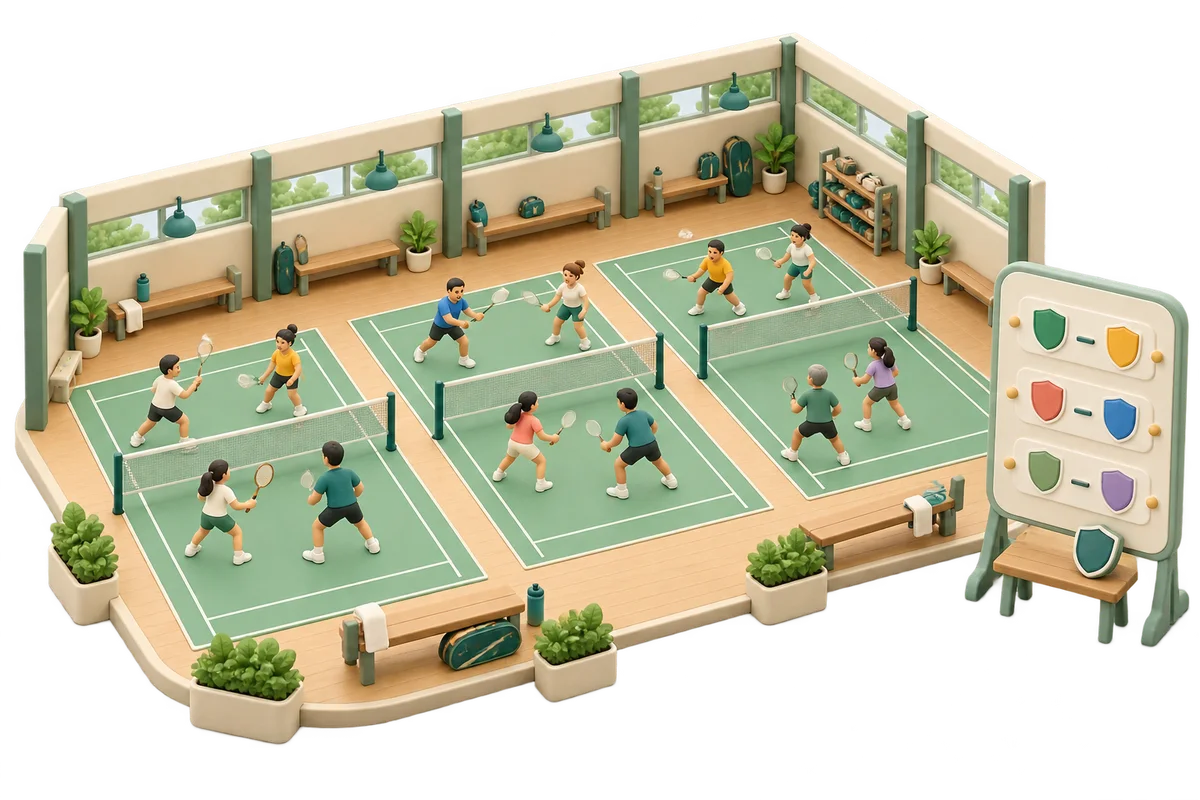
A clay community sports hall with several badminton courts and a round-by-round shield fixture board

Schedule the whole round robin

One roster, complete cycles, and no team booked twice in a round.

Teams or competitors

One entrant per line. 2–40 entries, 120 characters per name, 10,000 input characters. Matching names keep separate IDs.

2–40. Press the button to replace the roster; editing this number alone keeps the current roster and result.

UTF-8 TXT up to 40,000 bytes within text limits. Importing clears the previous schedule.

Every pair meets once per cycle. A cycle contains several rounds; no partial cycles.

The circle method covers all pairs. Home/away balances total roles, without date, venue, travel or streak constraints.

6
Entrants
—
Rounds
—
Actual games
Six teams are ready for one complete cycle.

Fixtures by round

Generate to see every round with explicit odd-team byes.

Names and schedules stay in this tab without uploads or persistent tool storage. Export before refreshing. No standings, venue booking or saved project import.

Everyone keeps playing through the schedule

A league fixture list has a different job from a knockout bracket.

A round robin covers every opponent

A round robin schedule generator creates a complete list of fixtures in which each team meets every other team a specified number of times. Nobody is eliminated by a loss. This page accepts named teams or individual competitors, creates one to four complete cycles, and divides each cycle into rounds with at most one match per entrant in each round. It is a planning skeleton for a school league, club competition or friendly series. Scores, points and a champion are not calculated here; the output is the set of games you still need to organize.

A resting volleyball squad sits on a mint bench while other squads gather on courts and a volunteer updates the fixture board

Odd numbers need rest rounds, not elimination

With an odd roster, a placeholder rotates through the schedule and becomes one named bye in every round. Each entrant has exactly one bye per complete cycle and still meets every real opponent. The bye has no score, win or league points. With an even roster there are no byes. Unlike a tournament bracket, a round-robin bye does not push someone closer to a final. The resting team simply returns in a later round, and all entrants complete the same total number of actual fixtures.

Paired teal and ivory home-and-away pennants on two mirrored fixture strips, beside a small resting-team bench marker

How to generate round robin fixtures

Choose the number of meetings per pair before planning dates or courts.

  1. 01

    Enter teams or create numbered entries

    Paste one team or player per line, import a UTF-8 TXT roster, or enter a team count and choose Fill numbered teams. The numbered-list action replaces the roster only when you press its button; changing the count field alone does not edit an existing list. Blank lines are ignored, and matching names remain separate IDs. Add a distinguishing suffix if two real teams share a name. Limits are two to forty entries, one hundred twenty characters per name, ten thousand input characters and forty thousand bytes per imported file.

  2. 02

    Choose complete cycles and role labels

    A cycle means every pair meets once; it does not mean one round. Choose one, two, three or four cycles. A second cycle repeats the same opponents with the side order reversed, and the fourth reverses the third. Enable home/away labels if the first side represents a home fixture; otherwise the sides are simply A and B. Randomize starting positions shuffles the initial circle with the browser’s secure random source. Turning it off preserves the roster order for a repeatable construction without requiring random access.

  3. 03

    Generate, inspect rounds and keep the whole list

    Generate the schedule, then select a round or move through it with Previous and Next. The page reports total rounds, actual matches and a checked pair-coverage statement. Open per-team counts to inspect appearances, byes and, when enabled, home/away totals. Changing the roster, cycles or either schedule option clears the old result. Copy, CSV and print always include every round, even while the screen shows only one. Reset results keeps the roster and settings so you can prepare another plan.

Complete pair coverage with explicit checks

A shuffle chooses the starting positions; the scheduling construction does the work.

Circle rotation with an independent validator

The round robin fixture generator fixes one circle position and rotates the rest after each round. Opposite positions form the fixtures; a placeholder represents rest for odd fields. The resulting plan is checked independently by counting every unordered pair separately within each cycle, rejecting self matches, checking each entrant appears exactly once per round including a bye, and recounting team statistics. Missing or repeated fixtures inside a cycle make the schedule fail. Repeating an opponent in a later requested cycle is intentional and is not reported as an accidental duplicate.

Home and away totals that can be inspected

When home/away is enabled, a cyclic orientation balances each team’s role totals: an odd-sized single cycle gives equal home and away counts, while an even-sized single cycle differs by one. Each adjacent two-cycle block reverses every fixture and gives equal home and away totals. Three cycles leave at most one difference; four restore equality. These are total-count properties. The page does not promise alternating home and away every round, eliminate all role streaks, minimize travel, or enforce a shared home venue restriction.

Actual fixtures and explicit rest rows in exports

The match total counts real team-versus-team games only. CSV also contains one explicit bye row per odd-team round, so the file can have more rows than the displayed match total. Each fixture row retains cycle, round, match number, role labels, both IDs and both names. Copy and print append complete per-team counts. Formula-leading names are protected for spreadsheet use. These are organizer records, not a league-system import guarantee, a saved project file or a live calendar subscription.

Examples: six teams and five teams

Count rounds separately from matches, then multiply by cycles.

  1. 01

    Six teams: five rounds and fifteen games

    With six entrants, a single cycle needs five rounds of three matches, making fifteen actual games. Every team plays five opponents once. A double cycle needs ten rounds and thirty games; with home/away enabled, each team hosts five and visits five. In roster-order neutral mode, the first round for A, B, C, D, E and F is A versus F, B versus E and C versus D. Randomizing the initial positions can produce different fixtures while preserving the same coverage.

  2. 02

    Five teams: ten games with five named byes

    With five entrants, a single cycle needs five rounds containing two games and one bye each. That makes ten actual games, four appearances per team and one rest round per team. A double cycle makes ten rounds, twenty games and two rests per team. Adding one team changes the number of simultaneous games but does not necessarily add a round: both five- and six-team single cycles need five rounds. Use these counts to estimate capacity before deciding how many courts or evenings are available.

Turn pairings into an event you can run

Decide time, venue and scoring rules after checking the fixture structure.

  1. 01

    Use the match and round formulas for planning

    For n entrants and c complete cycles, actual matches equal c times n times n minus one divided by two. Each entrant plays c times n minus one games. A cycle has n minus one rounds for an even roster, or n rounds for an odd roster. A round is a conflict-free grouping of fixtures, not a dated timeslot. Several games in a round may need to run sequentially if you have fewer courts. This page does not calculate how long that takes or fit fixtures around absences.

  2. 02

    Keep venue, rest and standings decisions explicit

    Home/away is a role on a fixture, not an allocated building, field or court. Confirm availability, travel, minimum rest and competition rules separately before distributing the schedule. There is no score entry, tie-break table, automated rescheduling or standings calculation on this page. Removing one game from an exported list changes the completeness guarantee; if a team drops out, edit the actual roster and regenerate a complete schedule. That action discards the old plan rather than repairing an ongoing season automatically.

  3. 03

    Choose the format that matches the activity

    Use Tournament Bracket Generator when a loss should eliminate an entrant and scores should advance a winner. Use Partner Rotation Generator for rotating practice partners, optional trios or a limited number of social rounds. Here every requested cycle must be complete, and entrants are opponents in fixtures. Names and settings stay in this tab without uploads or persistent tool storage. Export before refreshing or leaving, and keep the roster IDs with the file so matching names remain distinguishable.

Round robin scheduling questions

Answers about cycles, formulas, odd teams and home fixtures.

How many matches and rounds does a round robin need?

A single cycle for n teams has n × (n − 1) ÷ 2 actual matches. Even fields need n − 1 rounds; odd fields need n rounds with one bye per round. Multiply both totals by the selected one to four complete cycles. Byes are not actual matches.

What is the difference between a cycle and a round?

One cycle contains every pair once and usually takes several rounds. A round groups fixtures so each team plays at most once. Selecting two cycles means every pair meets twice, not that the entire tournament finishes in two rounds. This page accepts complete cycles, not arbitrary truncated round counts.

What happens with five or another odd number of teams?

One team rests each round. In each complete cycle every team gets exactly one bye and meets every other real team once. Five teams therefore have five rounds, ten actual games and one bye per team in a single cycle. A bye does not award a win or points.

Can I generate a double round robin with home and away?

Yes. Select two cycles and enable home/away labels. The second cycle reverses every first-cycle fixture so each pair meets once at home and once away. Four cycles repeat that property in a second two-cycle block. No venue, date or travel constraints are applied.

Are repeated opponents or missing fixtures checked?

Yes. The validator checks every unordered pair exactly once in each requested cycle, no self matches, no entrant booked twice in one round, and the expected bye and appearance counts. A later cycle intentionally repeats opponents. Invalid or incomplete output is rejected instead of accepted as a partial schedule.

Can I enter a team count without naming every team?

Yes. Enter two to forty in the numbered-team field and press Fill numbered teams, then optionally replace the labels with names. The action replaces the roster and clears the result. Editing the count field alone does not change a custom roster. Duplicate names retain distinct IDs.

Can I download all fixtures rather than one visible round?

Copy, CSV and print include the entire schedule. CSV retains every actual fixture and explicit odd-team bye rows, with IDs and cycle numbers. Copy and print also include per-team counts. The selected round only controls what is displayed on screen; it never truncates exports.

Does this calculate standings, dates or a guaranteed best schedule?

No. It generates and validates the pairing structure, with optional role totals. It does not enter scores, choose a champion, allocate courts or dates, minimize travel or guarantee alternating home/away streaks. Processing is local and tab state is not persistently saved; export before a refresh.

Round Robin Schedule

Give every opponent a place in the schedule

Choose complete cycles and check the real game count.

Keep every round before planning the event calendar.

  • Free to use
  • No signup
  • Runs in your browser

A simple path to your next activity

  1. Enter teams

    Paste names or create numbered entries.

  2. Choose cycles

    One to four, with optional home/away labels.

  3. Check and keep

    Inspect rounds, copy, download or print.

Every pair checked per cycle, odd-team byes named, complete exports.